View Other Articles
Need to edit information on the Injury page, or see previous edits? No problem!
Step 1. From the Injury Page, click the ‘Pencil icon’ in the upper right corner of the section
Clicking this icon opens an editable field, so you can edit information without opening a new tab or window.
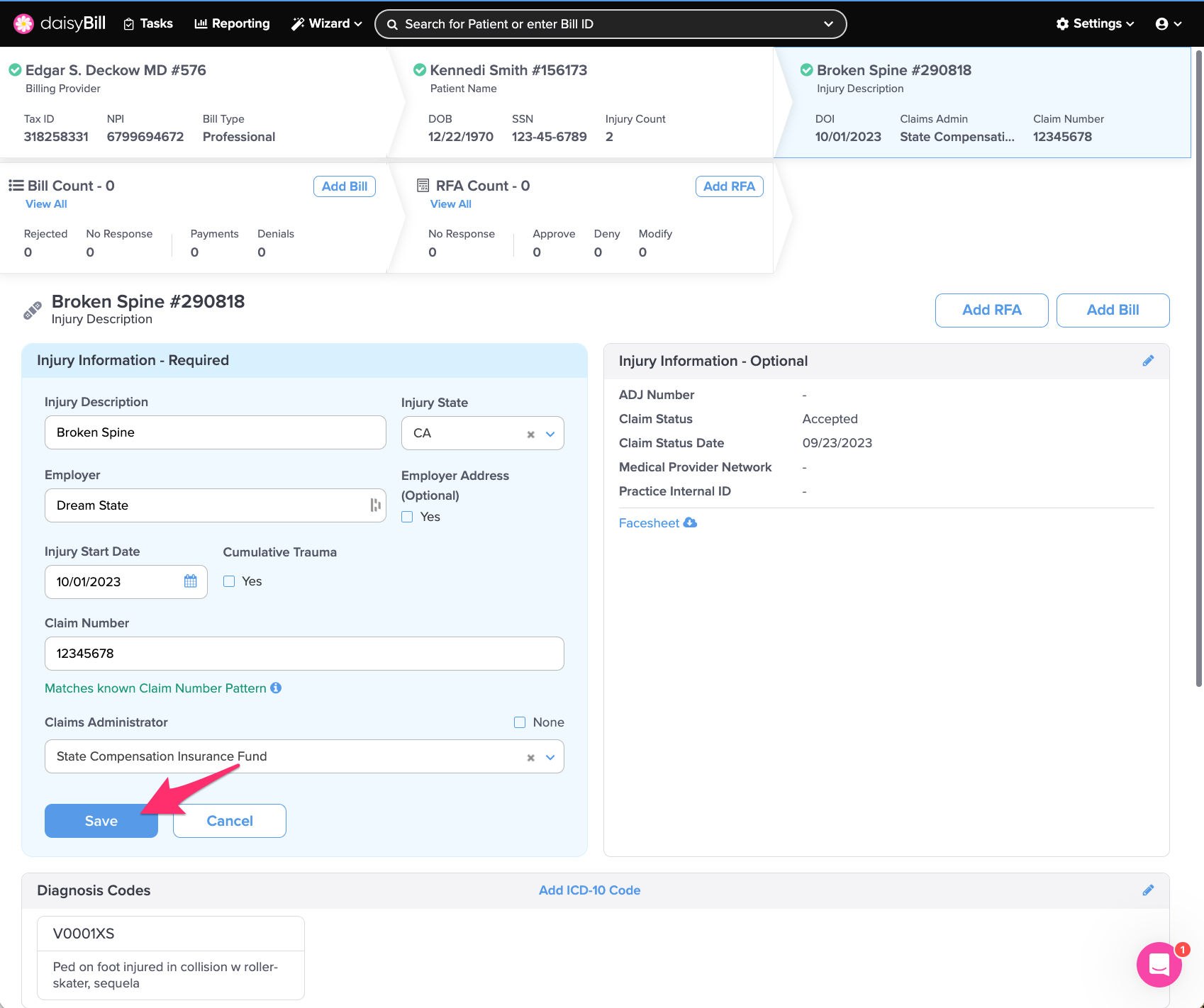
Step 2. Update the information, then click ‘Save’
 Step 3. (Situational) To view the edit history for the Injury, click ‘History’
That was fast!